Product
A closer look, by workflow
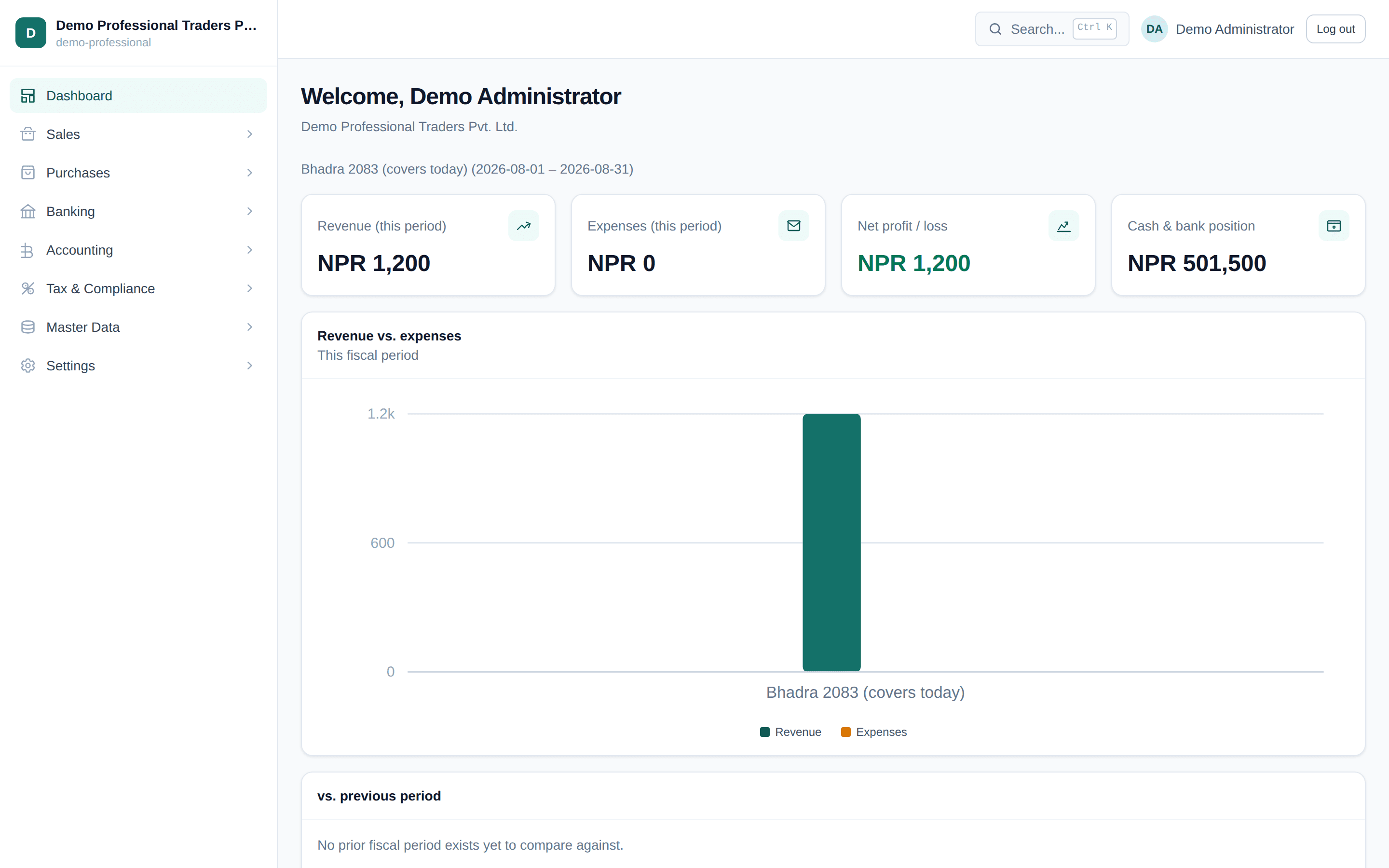
Every screenshot below is the real product, captured from a live, seeded demo tenant - not a mockup.
Step-by-step VAT workflow
Step 1
Record transactions
Sales invoices and purchase bills, entered once - never re-keyed into a separate VAT worksheet.
Step 2
Classify transactions
Every line carries its own tax classification - taxable, exempt, or export - captured at entry, not guessed later.
Step 3
Generate Anusuchi 13
Party-level thresholds and totals, aggregated directly from posted transactions - with a drill-down to the source document behind every figure.
Step 4
File return
Every VAT Return version is labeled DRAFT until you finalize it - never presented as filed before you say so.
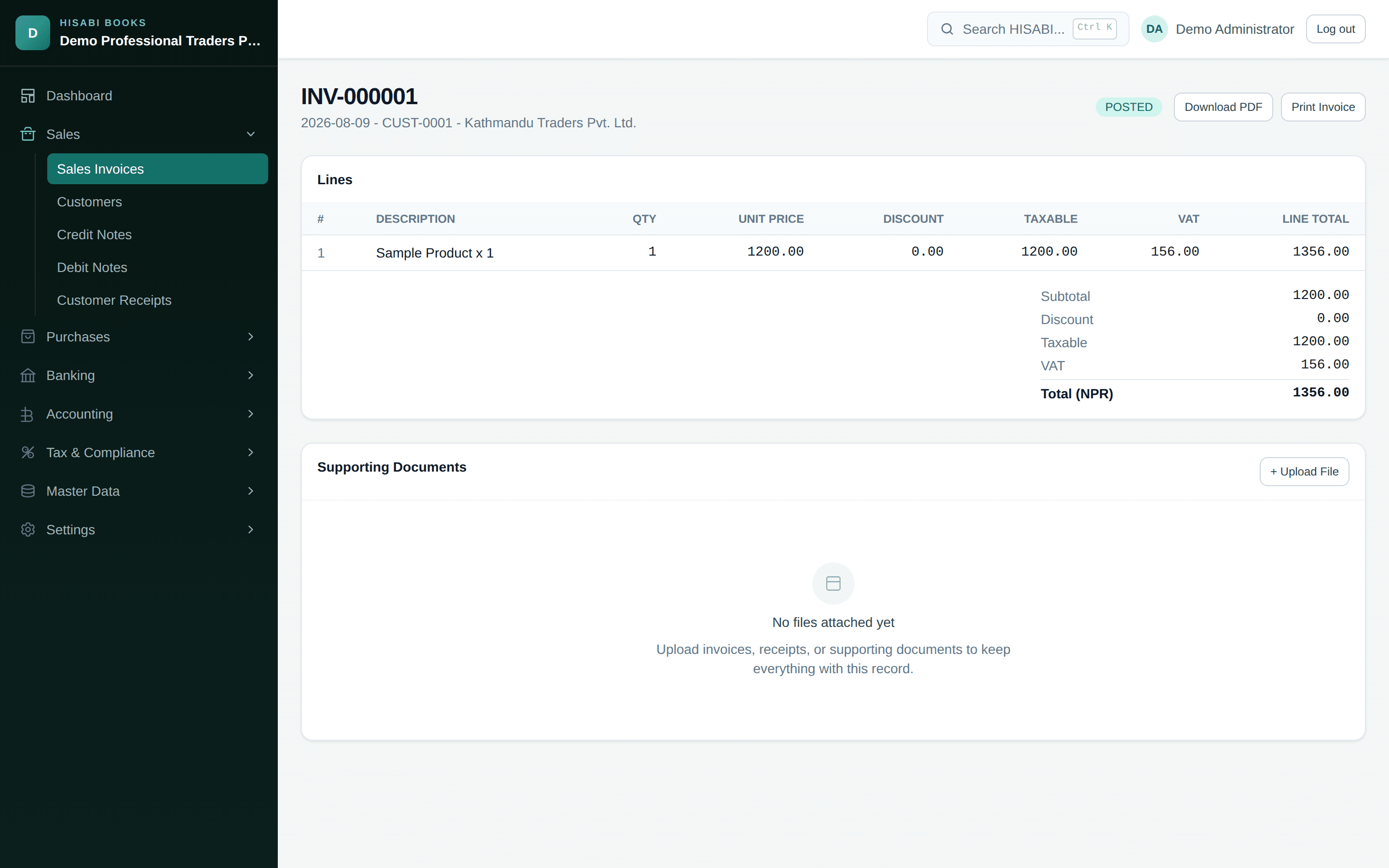
Sales
Invoice, then correct with a Credit or Debit Note - never an edit
A Sales Invoice moves through a deliberate Draft, Approve, Post lifecycle. Once posted, it is immutable - a mistake is corrected with a linked Credit or Debit Note, never a silent edit, so what your customer received always matches what your books show.
Purchases
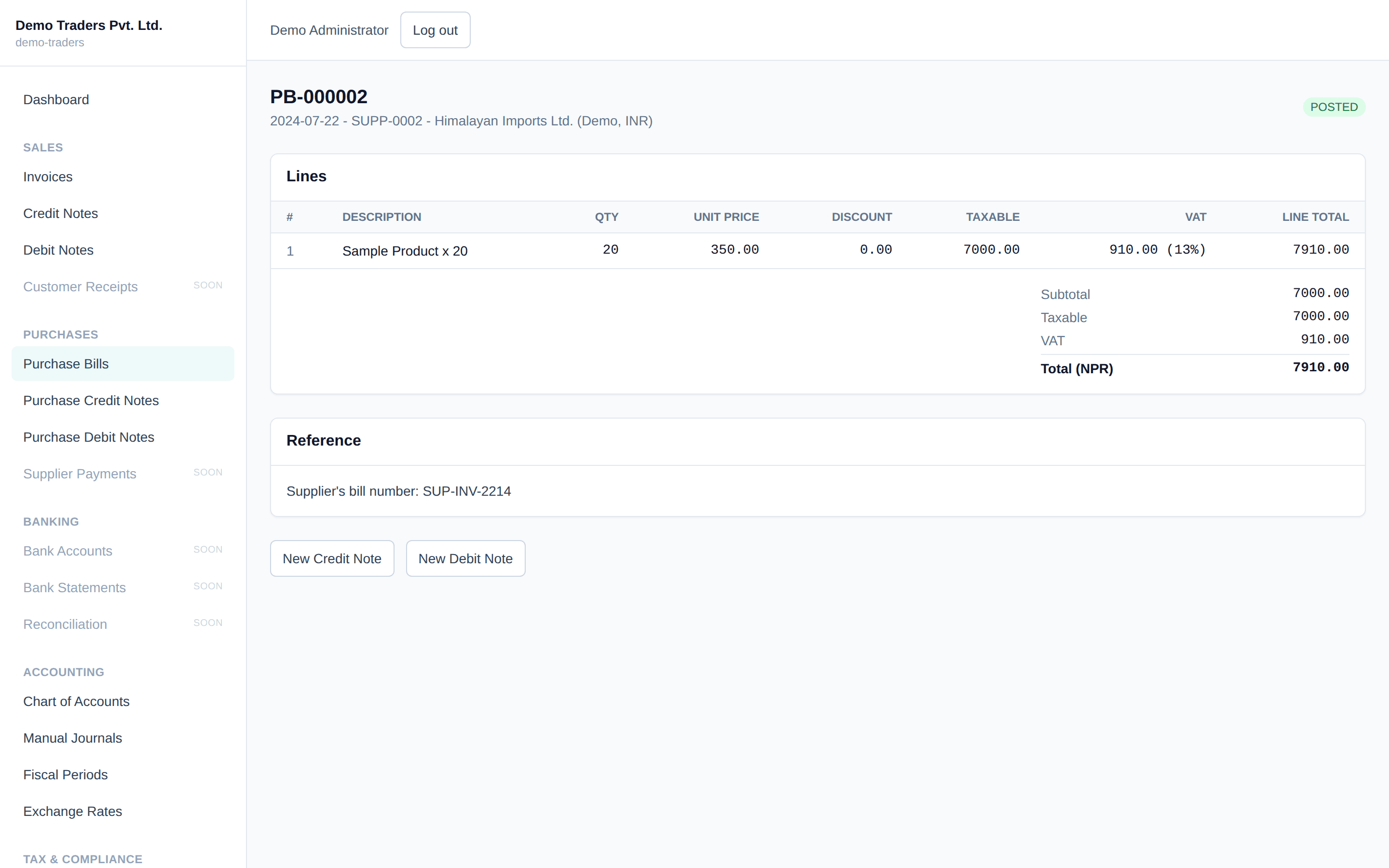
Every purchase, tracked from bill to payment
Purchase Bills follow the same Draft, Approve, Post lifecycle as Sales, from the supplier side - with the detail Nepal-specific tax handling needs captured at the line, not reconciled by hand later.
Reporting
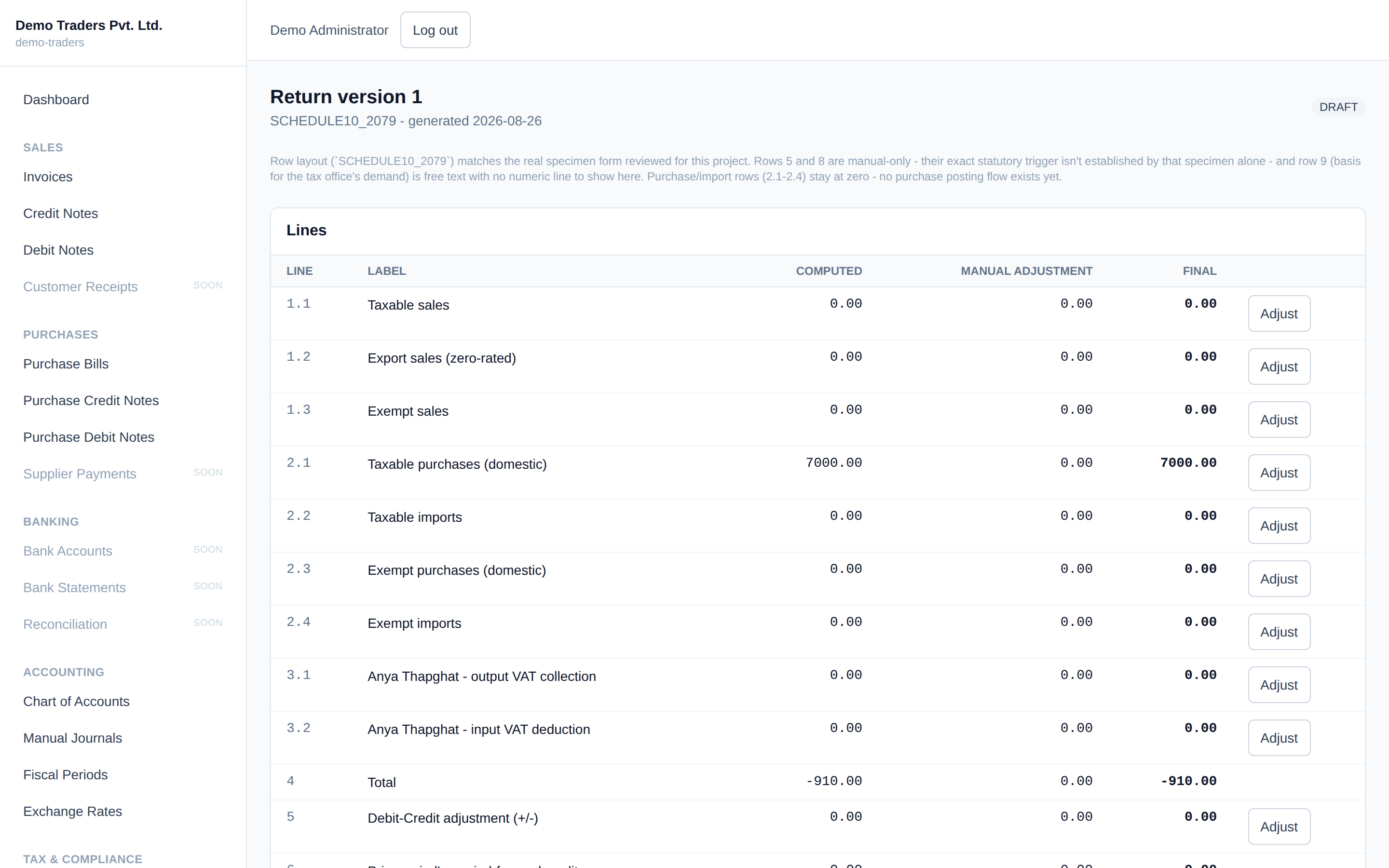
Statutory reports, generated from what was actually posted
VAT Return and Anusuchi 13 are generated directly from your posted transactions - never a spreadsheet re-entry - with a drill-down to the exact transactions behind every figure.
Reporting
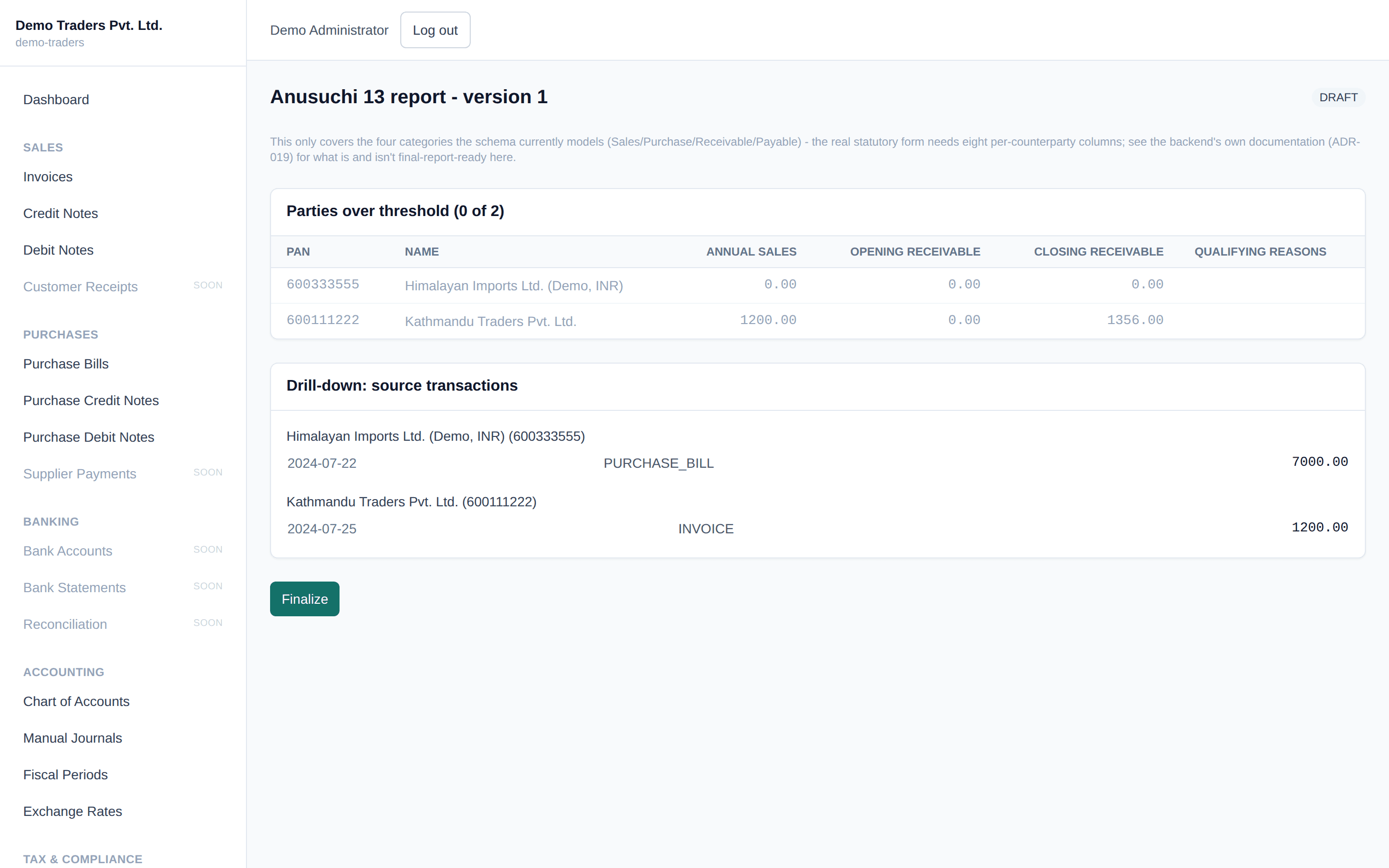
Every total traces back to its source transaction
Anusuchi 13's party table shows exactly which counterparties are over the statutory threshold, with a drill-down to the individual documents behind each total.
Accounting
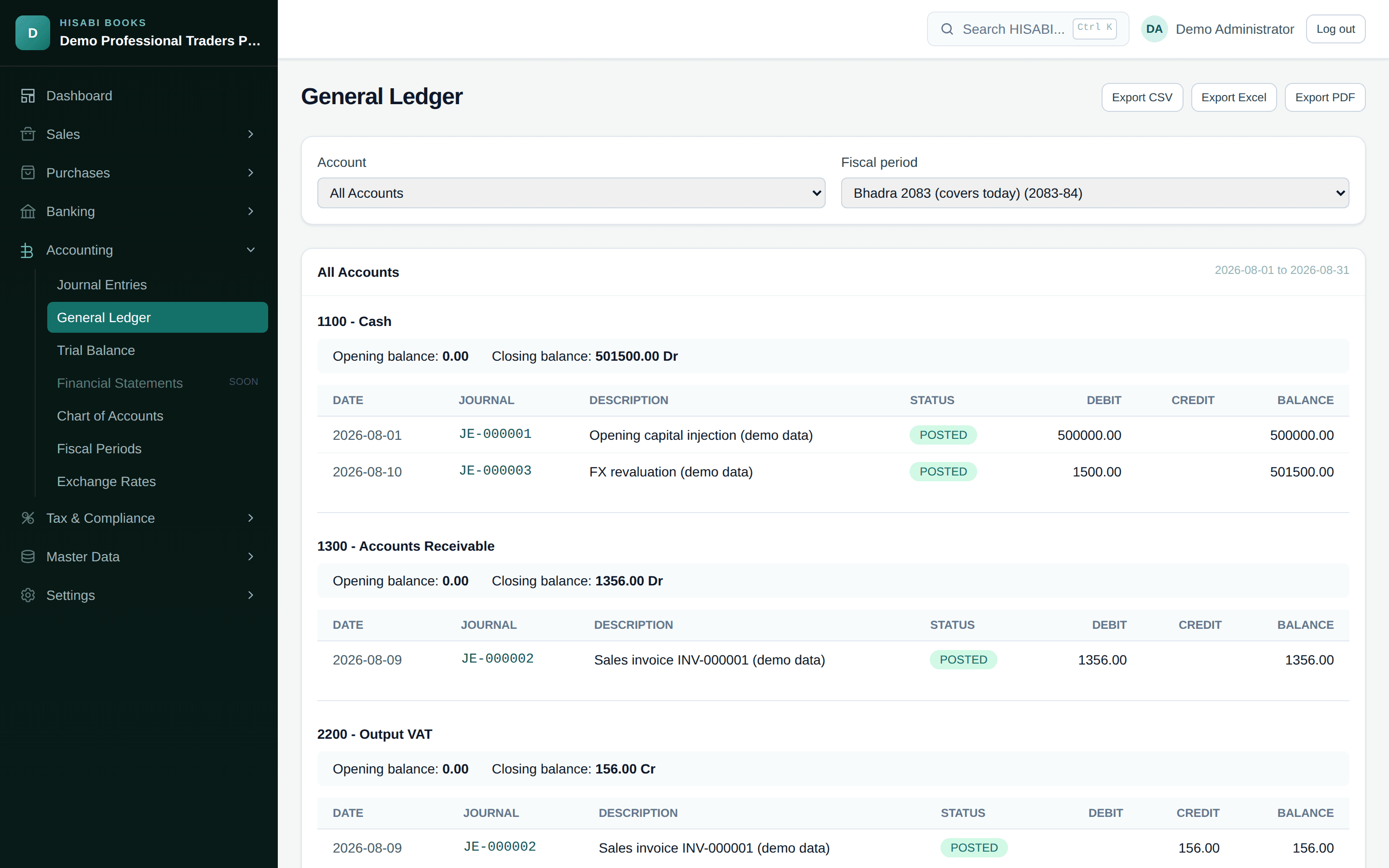
A real general ledger, not a summary view
Every account shows its opening balance, every posted journal line that moved it, and its closing balance - filterable by account and fiscal period, exportable to CSV.
Accounting
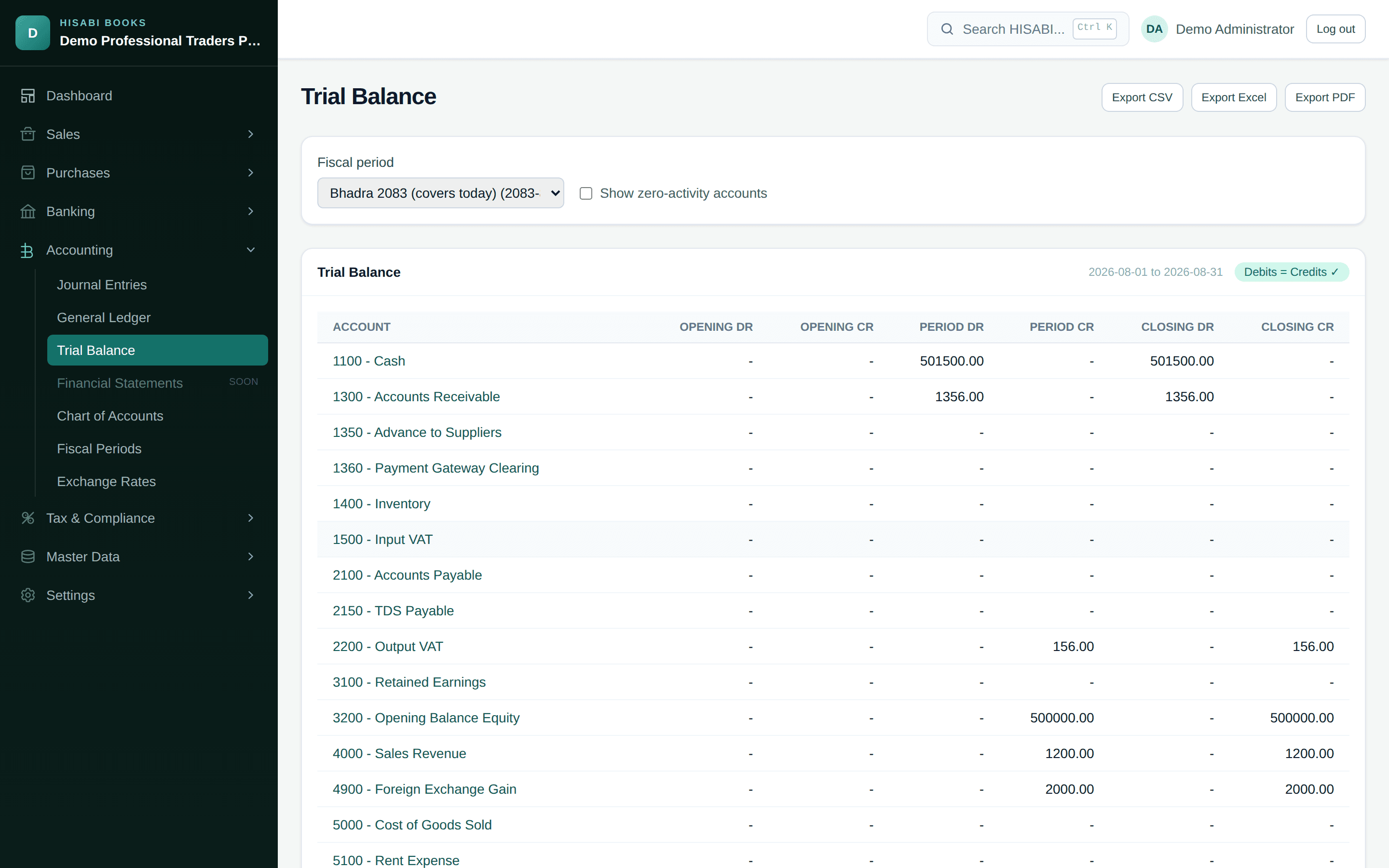
A Trial Balance that tells you immediately if something is wrong
A visible "Debits = Credits" check on every Trial Balance - the simplest, most honest signal that your books are internally consistent.
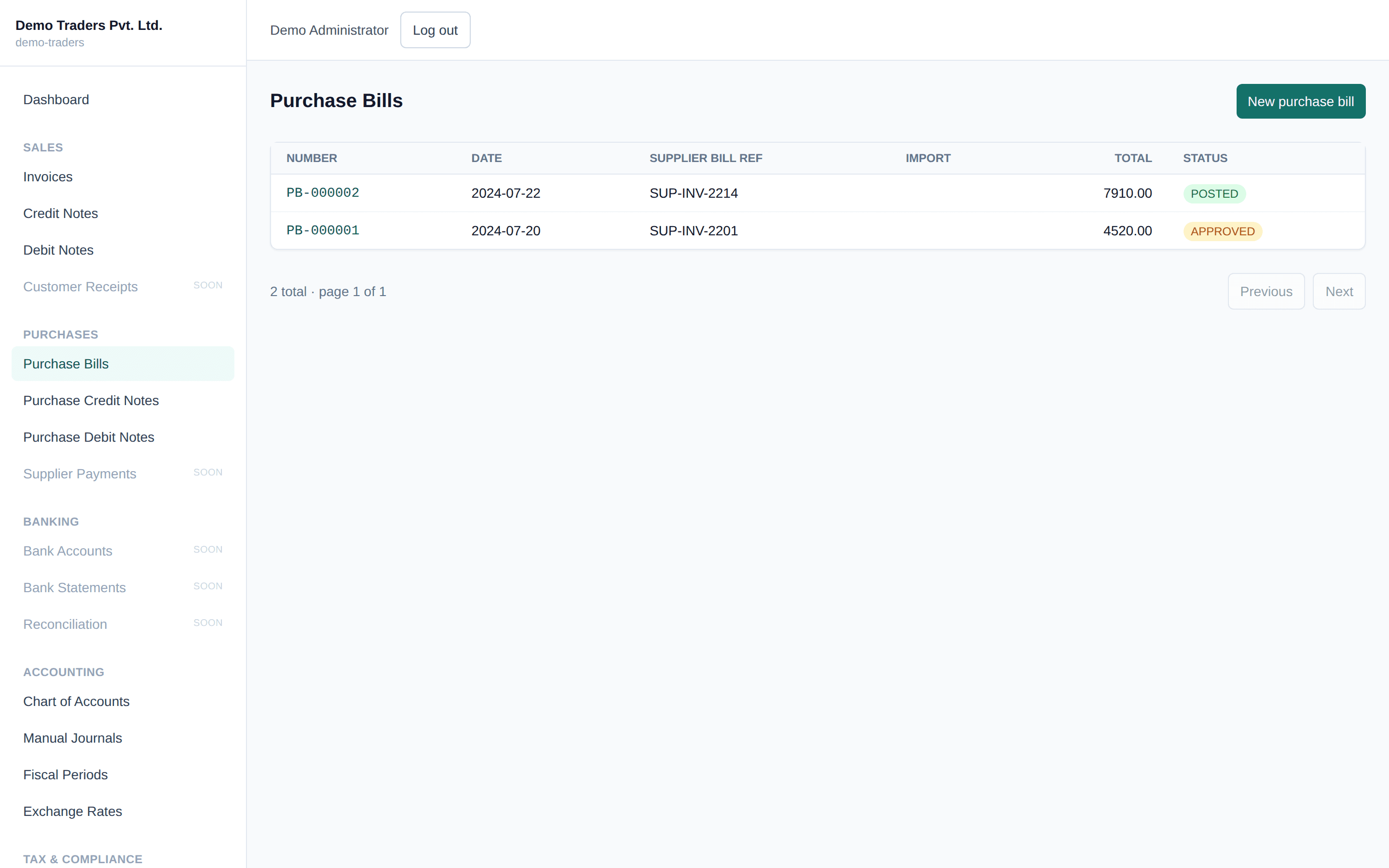
Purchases
See every bill, at a glance
Every purchase bill in one filterable list, before you drill into any one of them.